TryHackMe The GreenHolt Phish Walkthrough
A Message that doesn’t add up
Objectives
- Analyze the provided email to identify and extract key artifacts
- Investigate the message source to determine its origin and authenticity
- Use analysis tools to assess the potential maliciousness of the email
Getting-Started-With-Challenge
- What is the Transfer Reference Number listed in the email’s Subject line?
while open the challenge.eml file got the lot of information altought we first searches the transfer refernce number
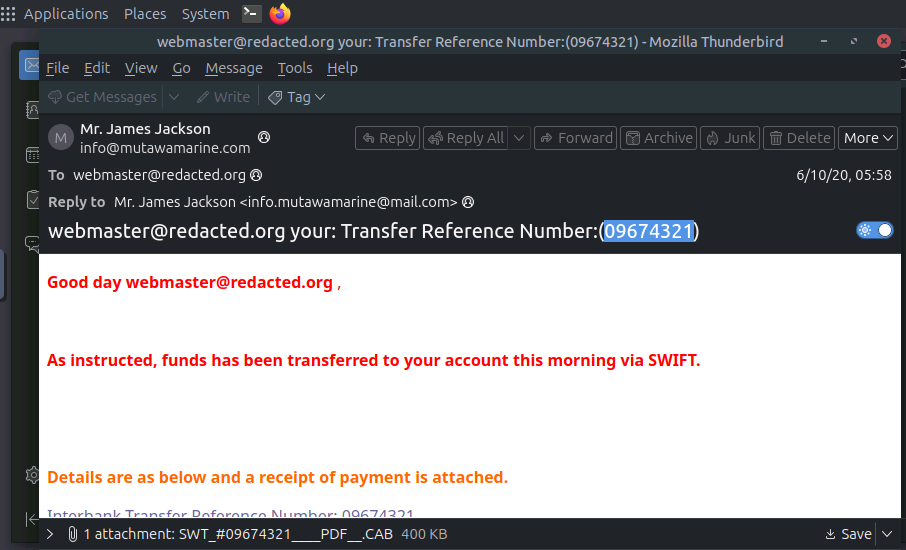
Answer: 09674321
- What is the display name of the sender?
the sender’s name is clearly is on the above image is Mr.James Jackson
Answer: Mr.James Jackson
- Continue investigating the email headers.What is the sender’s email address?
Answer: info@mutawamarine.com
- What email address will receive a reply to this email?
Answer: info.mutawamarine@mail.com
- Begin analyzing the message source.What is the originating IP address of this email?
for this now we have to open the notepad or by simply can view on terminal.
1
2
3

$ cat challenge.eml > out.txt
$ open out.txt
now, you can see the what working behind a mail, you got the all of the information about the mail and much more about it.
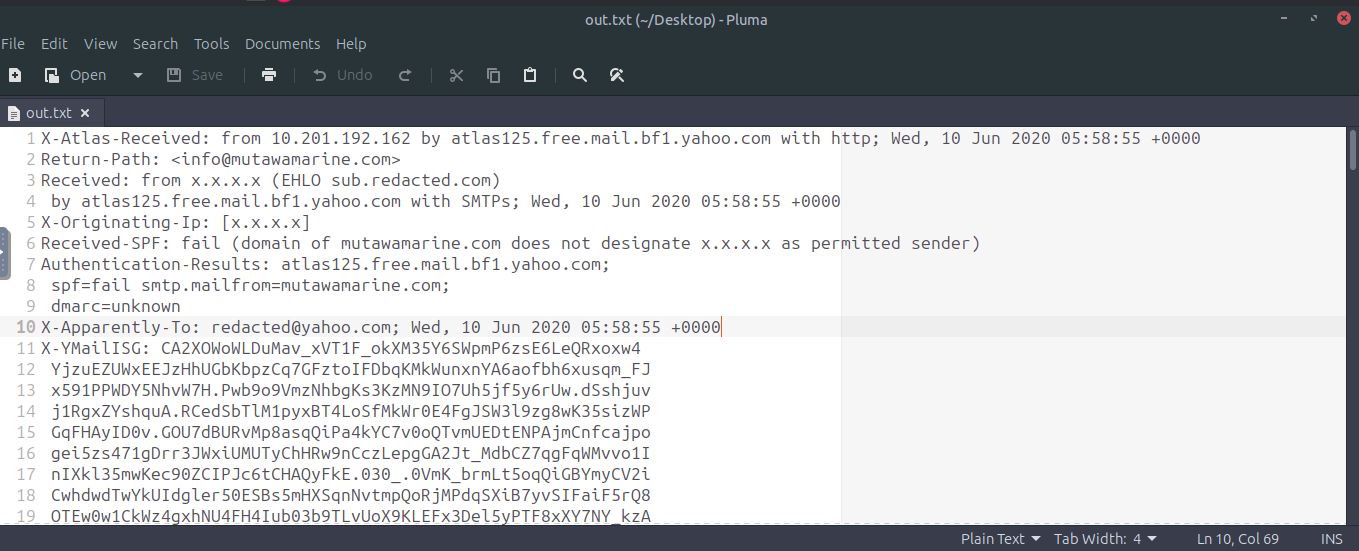
On going down you can found the IP with the port from where the mail is sending from.
Answer: 192.119.71.157
- Investigate the IP address from the previous question.Who is the owner of the originating IP?
It is required to the some OSINT so go to the site and search the last question IP as your favourite IP LOOKUP Tool. I personally use the tool for this https://ip.me
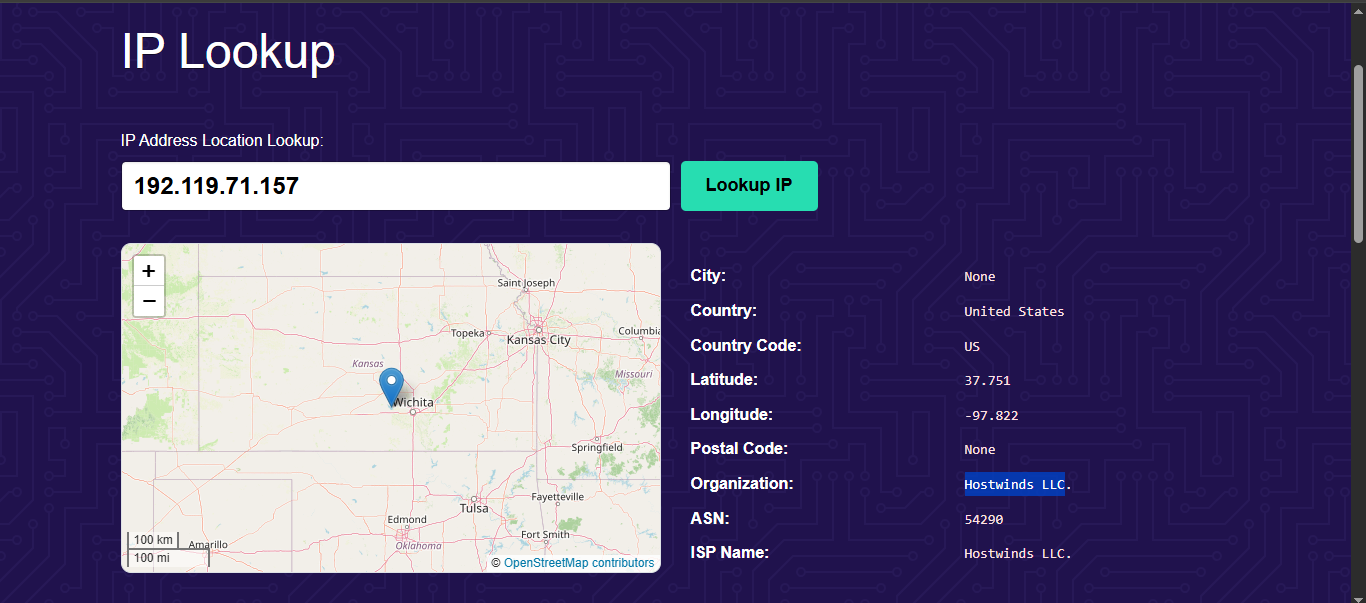
Answer: Hostwinds LLC
- Run an SPF record check on the Return-Path domain identified in the email headers.What is the full SPF record for this domain?
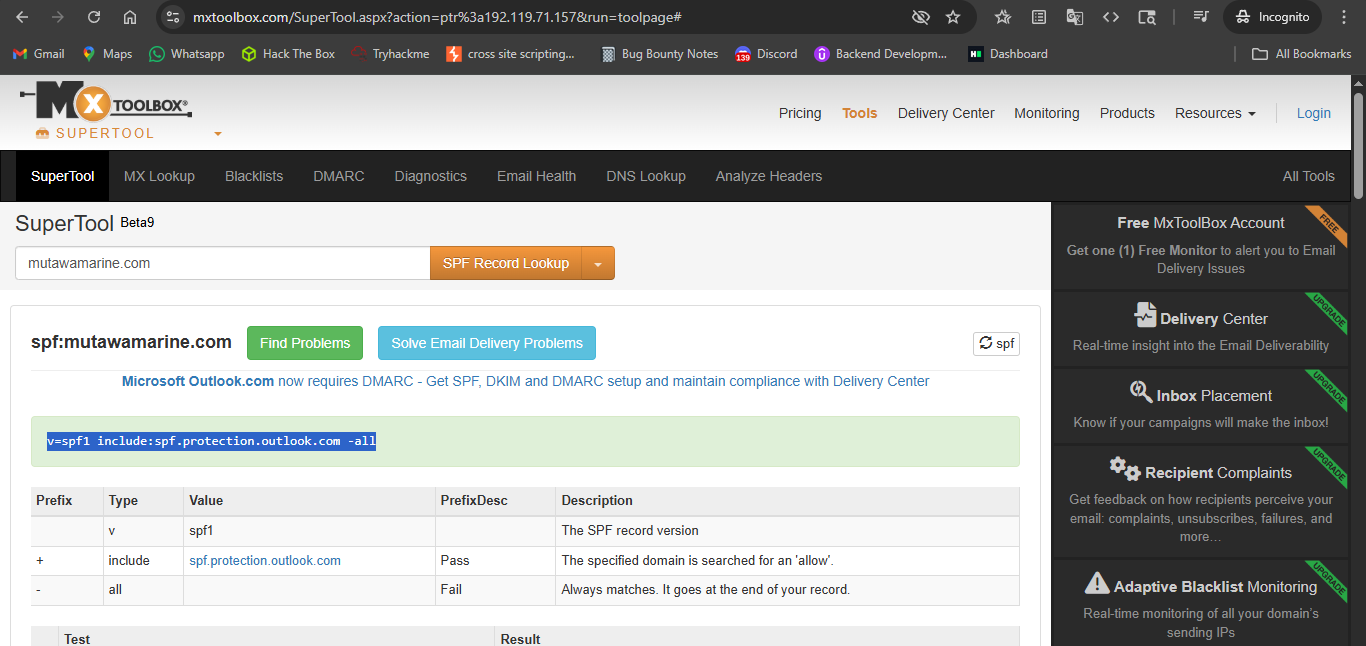
Answer: v=spf1 include:spf.protection.outlook.com -all
- Perform a DMARC lookup for the Return-Path domain found in the email headers.What is the complete DMARC record for this domain?
With the exactly same again but this time change the option to DMARC lookup
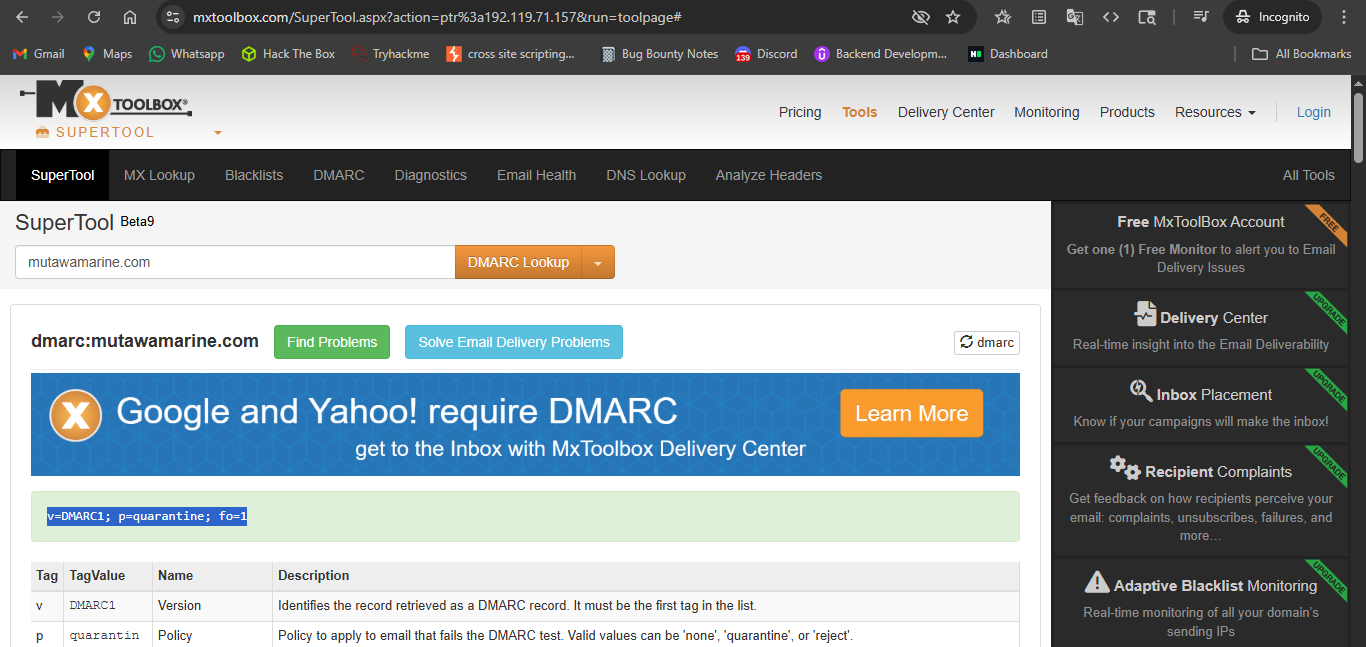
Answer: v=DMARC1; p=quarantine; fo=1
- What is the file name of the attachment found in the email?
In the out.txt file that we create see on that and scroll and skip some of the header and you’ll find the something like attachment; filename= in it email.
Answer: SWT_#09674321__PDF.CAB
- Download the attachment to your virtual environment.Using the sha256sum command, what is the SHA256 hash of the file?
for this downloading the file and on the terminal by sha256sum command you can get the file sha256 hash.
1
2
3
4

$ sha256sum SWT_#09674321____PDF__.CAB
2e91c533615a9bb8929ac4bb76707b2444597ce063d84a4b33525e25074fff3f  SWT_#09674321____PDF__.CAB
- Investigate the file hash from the previous question using VirusTotal (opens in new tab).What is the attachment’s file size in KB (e.g., 122.31 KB)?
On virus total simply paste the sha256 hash you got the information of the virus or malware that associated with the file.
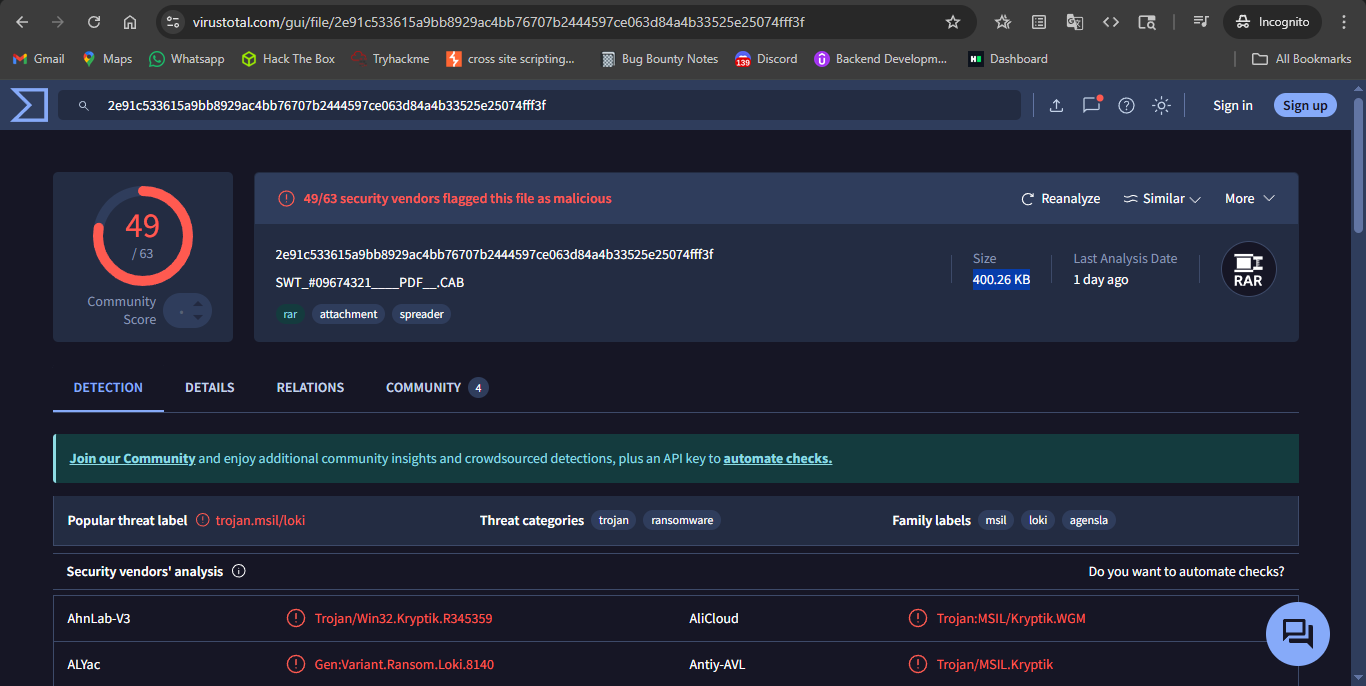
Answer: 400.26 KB
- Continue your research on the file.What is the actual file type of the attachment?
As on go through the virus total details i found many forms and names of the files but the originally this is the RAR file.
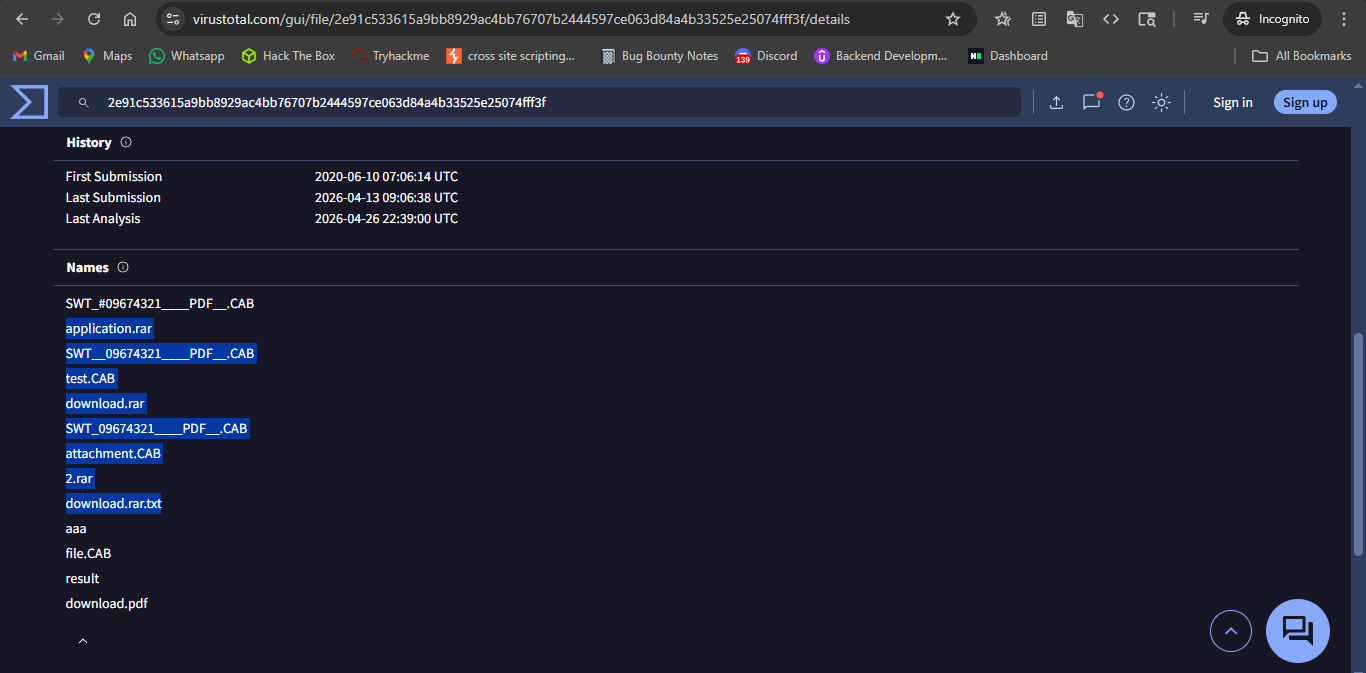
Answer: rar
SO NOW WE DONE WITH THE INVESTIGATION :)
THANK YOU !.